Brixem
A renovation planning product where chat becomes rooms, tasks, and budgets you can review before anything is committed.
Introduction
Brixem is a construction intelligence platform for homeowners and teams. Scoping, costing, scheduling, and contractor matching sit in one dashboard. An assistant turns natural language into a plan, then waits for a review so rooms and budgets never appear without consent.
Core journeys were tested with homeowners and contractors. Task success landed at 92% in the final prototype. Project setup was twice as fast as typing every task by hand.
92%task success in prototype tests
The problem
The plan had to be trusted
before anyone spent a pound.
Homeowners and contractors were making budget and deadline decisions from the same product. Chat that invented rooms without a review felt like a black box. Progress hid across rooms, tasks, and subtasks. One interface had to serve both users without two levels of complexity on the first screen.
Setup
An 8-step wizard that still feels like a conversation
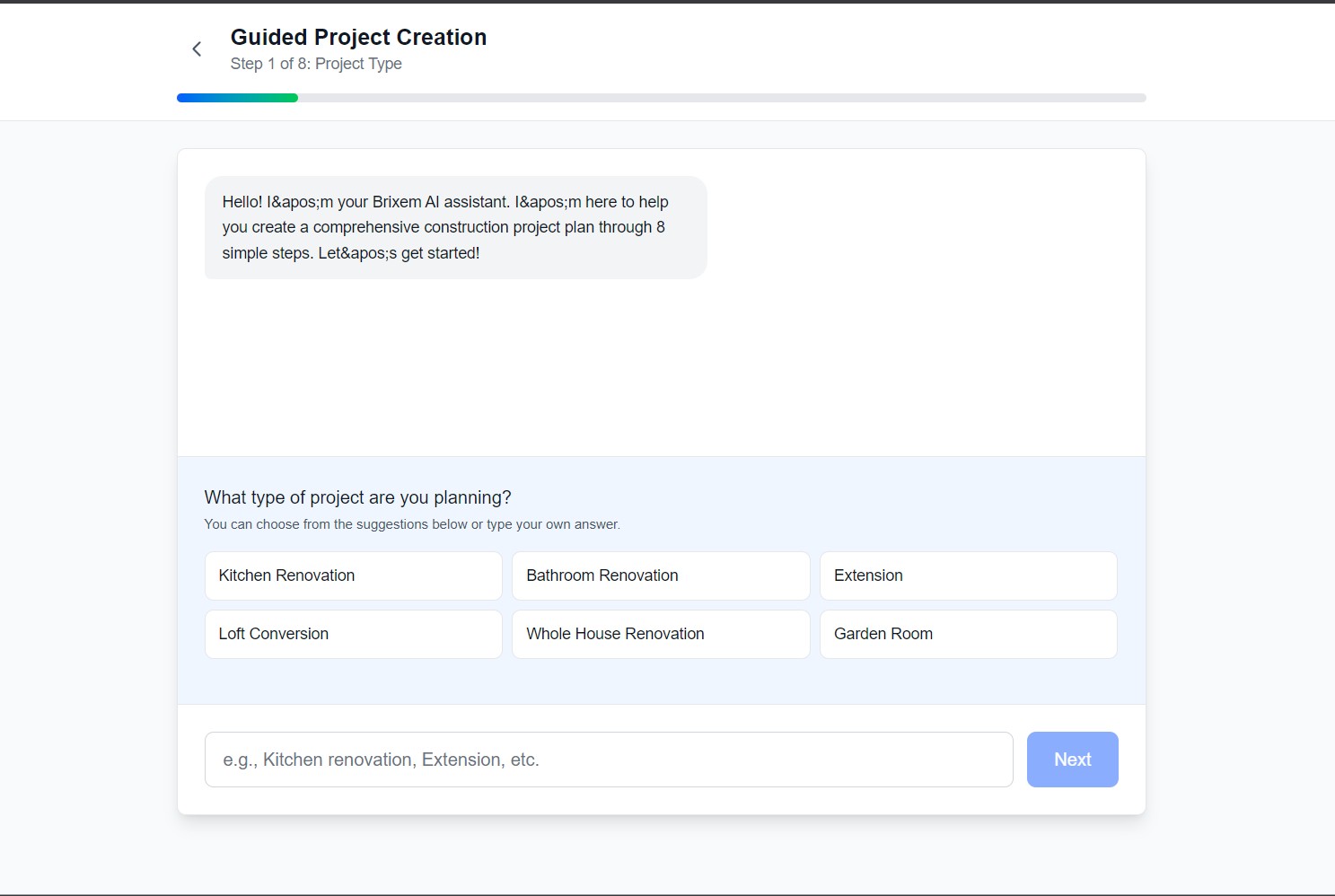
Pick a project type, or type it. The assistant walks the plan in 8 steps so the first screen is a decision, not a blank canvas.
Confirm
Chat creates the plan. You approve it.
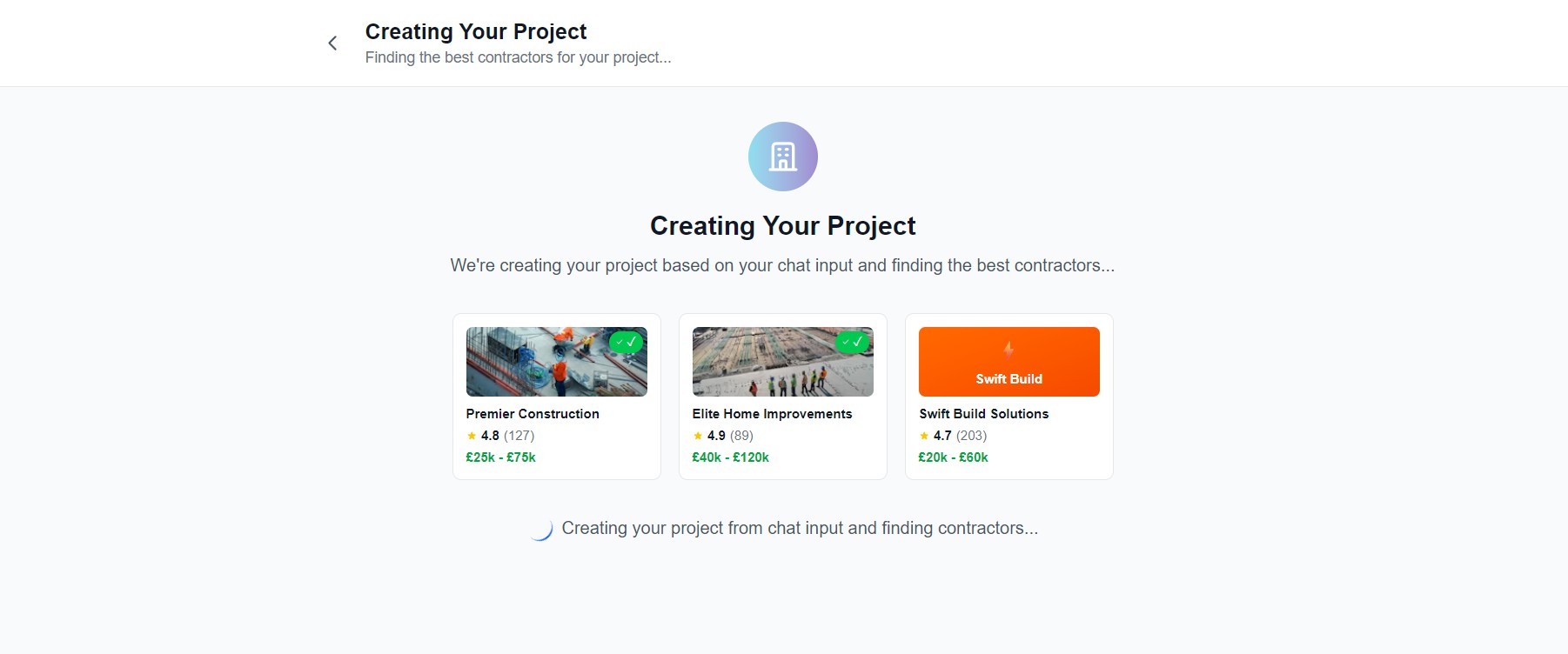
Natural language becomes rooms, tasks, budgets, and a contractor shortlist. A confirmation card comes first, so nothing lands without a review.
2×faster setup vs manual entry
Progress
Rooms, phases, and KPIs in one view
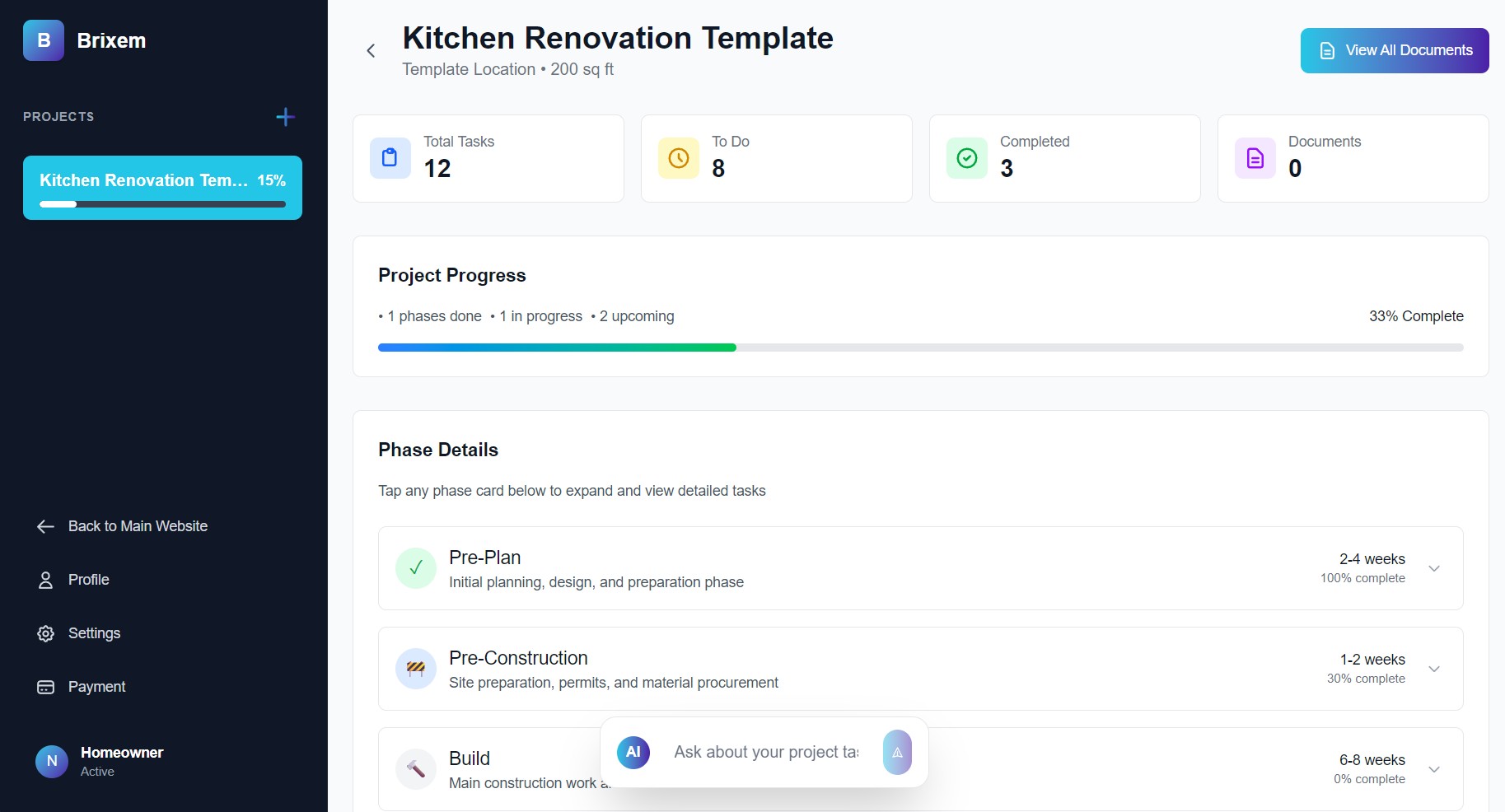
Simple counts first: tasks, to do, completed, documents. Phases and nested work sit one level down. Homeowners see status. Contractors can go deeper without a second product.
Two users
One product for homeowners and contractors
The homeowner needs a clear picture of budget and rooms. The contractor needs task depth. Progressive disclosure keeps both on the same dashboard: quick actions on top, detail when someone asks for it.
System
Design system for a conversation-first dashboard
Figma · FigJam · Prototyping · Lottie · React · Next.js · Tailwind · OpenAI · Claude · Cursor
Outcome
The outcome
- 92%Task success in prototype tests
- 2×Faster setup vs manual entry
- 40+Screens across web and mobile
- 4.7Clarity, 18 participants
For the first time, I could see the whole renovation in one place: budget, tasks, rooms, files. I got there by describing what I wanted to build.
Beta participant · homeowner · kitchen and bathroom renovation
Building something
ambitious?
I partner with Web3, fintech, and SaaS teams to design flows that actually ship. Book a discovery call. No slides, just a conversation about your product.